Malware Scanner
Scan site files, check core integrity and review suspicious patterns.
 WP SOT Pro
Scan files with visible progress, review PHP security risks, track administrator logins and manage optional Anti-Bot and IP protection from one dashboard.
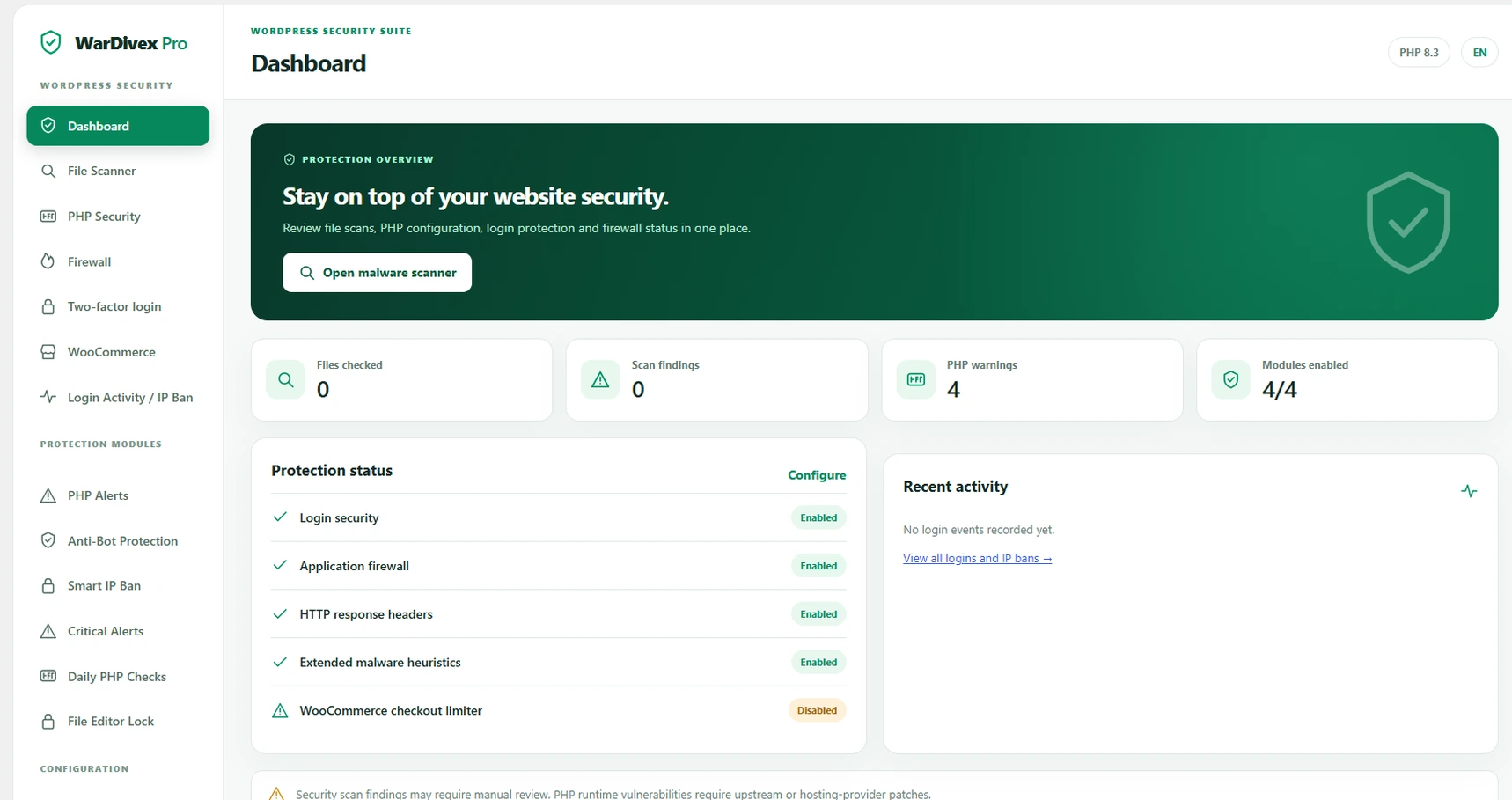 WarDivex Pro plugin dashboard
One streamlined solution for your WordPress security workflow.
Scan site files, check core integrity and review suspicious patterns.
Check PHP configuration, unsupported versions and published vulnerability advisories.
Restrict selected malicious request patterns and sensitive entry points.
Rate-limit repeated login attempts and strengthen account access.
See suspicious code findings and affected paths without deleting, modifying or quarantining files.
Optional checkout rate limits with an emphasis on store compatibility.
Review successful and failed WordPress logins, source IP addresses and security notifications.
Inspect WordPress settings and apply safe, reversible recommendations.
Review activity and turn on additional protections only when you need them. Anti-Bot, Smart IP Ban and Critical Alerts are disabled by default.
Limits excessive automated requests to the WordPress login endpoint. Designed for focused protection rather than blanket visitor blocking.
Off by defaultTemporarily restrict password logins after repeated failed attempts from the same IP. Review and manage bans from the plugin.
Off by defaultReceive email notifications about repeated suspicious login failures, new administrators and selected high-priority PHP warnings.
Off by default; email delivery requiredWatch real scan progress, files checked and findings. Suspicious-code alerts show file paths; no automatic removal or quarantine.
File scanning without modificationSee login attempts, usernames, source IPs, timestamps and success/failure status. Manually ban or unban selected IPs.
History starts after installationReview PHP version support, configuration risks and relevant security advisory information. Optional scheduled PHP checks and file editor lock.
Clear, actionable security reportsWooCommerce checkout rate limits remain optional. Test all protective rules against your store and payment integrations before enabling them.
WarDivex Pro helps identify suspicious files, version risks and configuration issues. Some PHP fixes require your hosting provider, and no scanner can guarantee that a website is malware-free.
How protection worksStart protecting your WordPress site for free. No subscription or license activation required.
Need malware scanning, PHP security checks or advanced protection?
WarDivex Pro →v0.7.5 · GPLv2 or later · BG / EN
Total Downloads: 219
Direct download · No registration · Counter tracks download requests, including 217 reported prior downloadsProfessional WordPress security tools for a single website, with annual billing.
All available security features included.
Light interface, step-by-step scan progress and clear modules for PHP checks, login history, IP blocks and security alerts.
Review PHP version support, security-sensitive configuration and core file integrity.
Track scan progress, inspected files and detected suspicious patterns. Results are informational; files remain untouched.
Apply appropriate hardening and restrictions; PHP engine patches must come from your hosting provider.
One active domain per license. You can request a license transfer when moving your website.
After Stripe confirms payment, the system issues a license and emails a protected download link. If the email does not arrive, contact support.
The code targets PHP 7.4+, but PHP 7.4 is end-of-life and should be upgraded. Verify compatibility on your hosting before deploying.
One license for one WordPress installation, access to the included plugin modules and updates during an active subscription, subject to the license terms.
Scans should run in manageable batches, but large websites and limited hosting resources can still be affected. Schedule scans during quieter hours.
The WooCommerce protections are designed as optional controls. Test firewall rules and rate limits with your payment and shipping integrations before enabling them in production.
Check your spam folder and contact support. The license administrator can resend the email and generate a fresh secure download link.
No. Both features and Critical Alerts start disabled. You can enable each module separately from WarDivex Pro settings.
Yes. Login Activity records new successful and failed login events, including username, IP address, timestamp and result. Earlier events are not reconstructed.
No. The scanner displays findings and file locations only. Heuristic detections require review and are not proof of infection.
When enabled, Critical Alerts can notify you about repeated attack-like failed logins, new administrators and selected critical PHP warnings. Email delivery requires configured WordPress mail.
Its anti-bot controls focus on selected WordPress login requests. High-volume network attacks require protection at the hosting or CDN level.